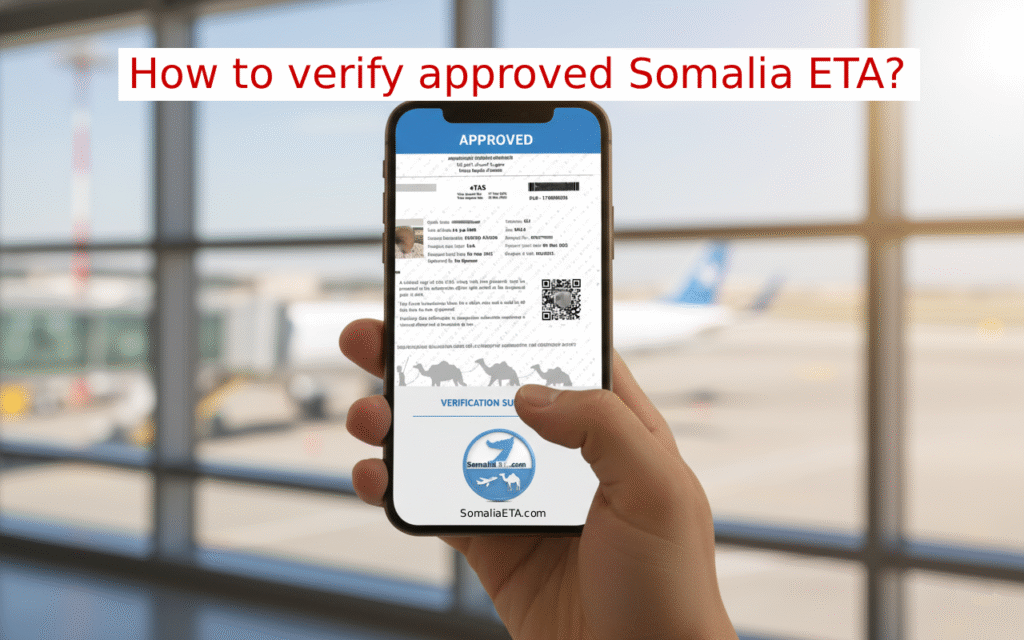
You’ve applied for your Somalia eTA, maybe through an agency, a friend, or a travel provider. Now you have a document—a PDF or a paper printout—and that little voice is asking: “Is this actually real, or is it a convincing fake?”
It’s a valid concern!
Here is the most important rule to remember: You do not need to rely on the document your provider sent you. All you need is the official reference number to access the verified, official version yourself.
We’ll show you two bulletproof ways to check the authenticity of your eTA and ensure you download the genuine, government-issued document before you travel.
Step 1: The Strongest Method – Scan the QR Code
The first and most reliable step is to look at the PDF’s QR code and scan it with your phone camera.
If the document is real, the QR code will redirect you to the official government link in this format:
https://immigration.etas.gov.so/OnlineServices/verifyEvisa?vpnf=YourRefNO
Once the page loads, it will tell you this:
“You will require your Passport Number to open the Verification PDF”
- Click the button that says “CLICK HERE TO PROCEED”.
- It will redirect to a secure page where you must enter your Passport Number.
- Once entered, it will display your approved eTA document directly from the government server.
You don’t need the document your provider gave you. You just download the file from here—it is the official government version.
Crucially, check the details displayed here: Verify that the Selfie Photo, Full Name, Passport Number, and Date of Birth match your information exactly.
- If everything matches: Your eTA is valid! You should immediately download and print the eTA from this official page. Discard the document your provider sent you—this downloaded file is the only one you should trust.
- Check the Expiration: check the “Visa Expires On” date while you are there. If the date has passed, the document is expired and not valid for entry.
- What if the details don’t match? If the name, photo, or passport number is different, the document you were given is a fake that was edited from someone else’s genuine eTA. Do not travel with it and contact the official ICA immediately.
What if the QR Code is blurry or fails?
Do not worry. The QR code sometimes fails due to poor printing or temporary glitches. If this happens, skip the scan and rely entirely on the next step.
Step 2: Manual Verification using Reference Number
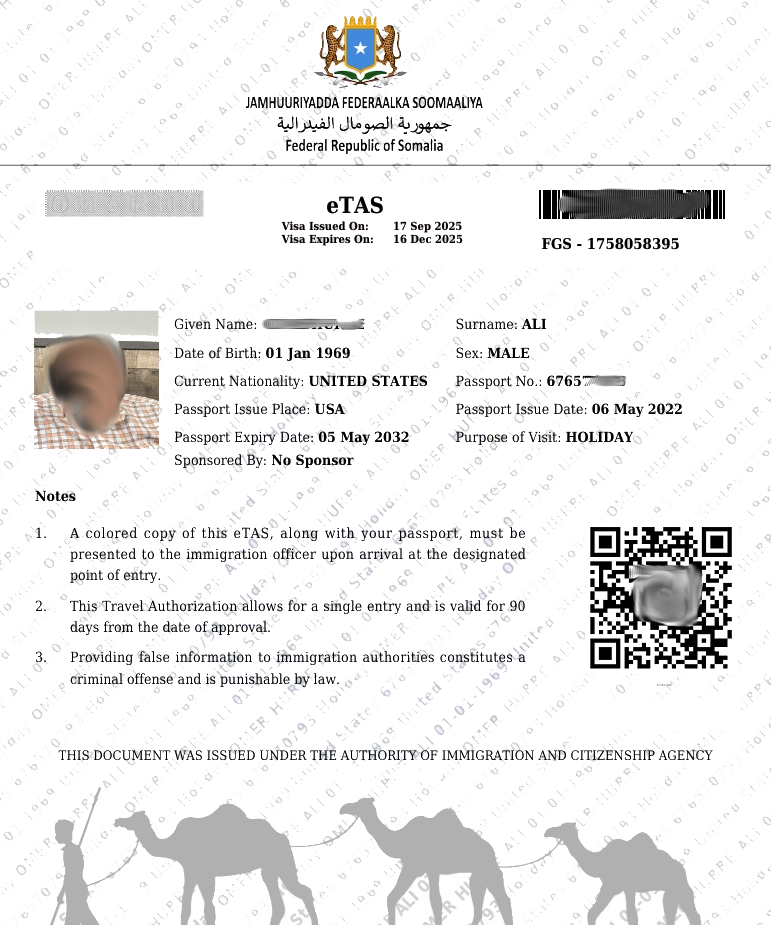
Look at the PDF you have and find the reference number. It will look like FGS-17XXXXXX.
Take that number and manually perform the check that the QR code would have done. You simply enter your Reference Number into the official link structure below:
https://immigration.etas.gov.so/OnlineServices/verifyEvisa?vpnf=HERE
(Replace the word “HERE” with your actual Reference Number, then search/visit that link).
It should show you the prompt to enter your passport number to view and download the file. If the QR code does not work AND this manual step does not work, it means your “approved” Somalia eTA is likely a fake document that was edited. You need to report that provider to the Somalia ICA.
Step 3: Initial Check – What a Real eTA Looks Like
To give you an idea of the basic security features, here is what a genuine, approved Somalia eTA document looks like. Note the FGS reference number and the QR code placement.
Why the Document Sent to You Should Not Be Used
Your eTA document is a low-capacity image with the official ICA seal and security text. Because of this design, it is unfortunately possible for scammers to edit the text on the PDF.
By using your reference number on the government portal, you bypass any potential forgery and pull the live, real-time record. This is the only way to be 100% sure.
Ready to Apply?
If you haven’t applied yet, let us handle the entire process. We pre-verify all documents to prevent the errors that lead to rejection, and we offer a 100% Risk-Free Guarantee that even covers the government fee if the application fails.
Note: We don’t send you the approved document PDF file. Instead, we send you the official verification link so you download it directly from the government website, not from us.
Frequently Asked Questions
How can I tell if my Somalia eTA is real?
The only 100% sure way is to check it on the official government website. Scan the QR code or enter your Reference Number (FGS-XXXXXX) into the official verification link. If the details match your passport exactly, it is real.
What if the QR code on my PDF doesn’t work?
Sometimes printing errors make the QR code fail. This doesn’t automatically mean it’s fake. You should proceed to the “Manual Verification” step by entering your Reference Number directly into the official URL structure explained in this guide.
Do I need to carry the document my travel agent sent me?
No. We recommend you discard the file sent by third parties. Once you verify the visa on the government portal, download the official file directly from there. That is the only document you should trust and print for travel.
What should I do if the details on the verification page don’t match my passport?
If the name, photo, or passport number on the official website is different from your passport, the document you were given is a fake. Do not travel with it. Contact the Somali Immigration and Citizenship Agency (ICA) to report the provider.